












The gate reads Monkey Mart. The pad at your feet says Use arrows to move. ↑←↓→ walk the boss monkey. Get close to a station or a shelf and the action happens. Harvest, carry, and put goods on empty shelves.
Monkey Mart gameplay
Walk the aisles, fill the shelves, and send the boss to the counter for the cash.
There is no game over
Monkey Mart is a supermarket you run as a monkey. Grow or collect goods, put them on empty shelves, serve the customers who walk in, and spend the cash on the next upgrade. You start from a small stand. New products, machines, workers, and rooms open as the mart grows.
Move with the arrow keys. Walk up to a station and the work starts on its own. There is no long list of buttons to learn. The loop is produce, carry, stock, serve, collect, then spend. Cashiers help with bills, but usable money only lands when the boss monkey walks to the counter and picks it up. Hire chefs and assistants to prep goods, and a manager to keep the floor moving. Upgrade machines, plus staff speed and stamina.
Nothing ends the run. You keep upgrading. Leave the screen and the mart pauses, so stay on the page if you want the work to continue. Unlock new shelves and goods before you hire a crowd. Customers want products more than extra hands, and a newly opened shelf draws a rush. When the current location has nothing left that needs funds to unlock, you can open another branch. Each new store leans on a different kind of goods, such as farm produce, drinks, or sweets. Move money from a stable branch into one that still needs capital.
How to Play Monkey Mart
1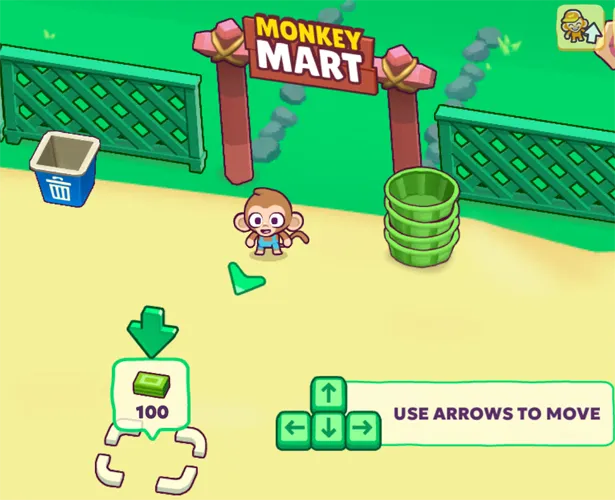
Use the arrows to move
2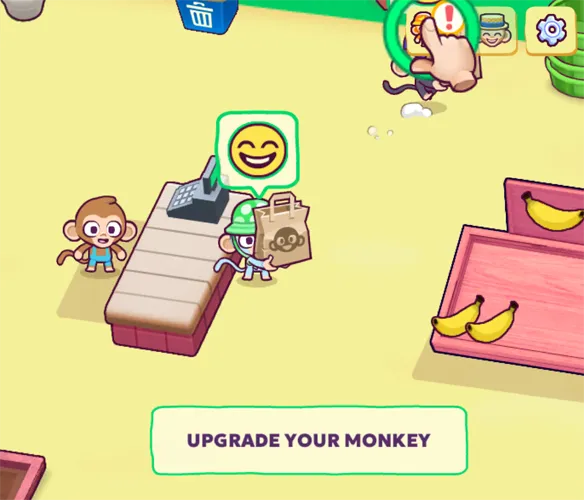
Serve, then upgrade your monkey
A customer waits at the register with a bag. The banner says Upgrade your monkey. Cashiers help take payment. Walk the boss to the counter to collect that cash so you can spend it. The portrait in the corner with the mark is the upgrade entry.
3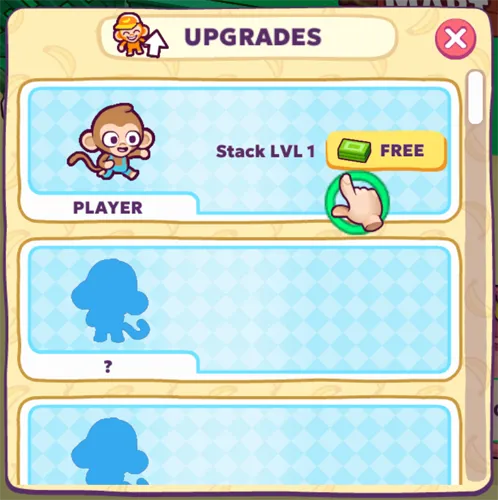
Take the free Stack upgrade
The Upgrades list opens on the player row. Stack LVL 1 is marked Free. Tap that first. Two locked monkey slots sit under it for staff you hire later, such as cashiers, chefs, assistants, and a manager.
4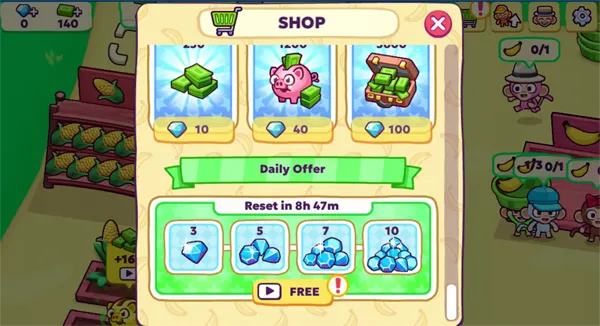
Open the shop if you want extra cash
The shop sells cash packs priced in diamonds. Under that, a daily offer lists diamond packs on a reset timer. One pack is marked free. You do not need this panel to run the mart. Stock, collect, and upgrade still carry the store.
Keep the mart moving
Learn each station and the chain behind a product before you chase speed. Restock a popular shelf before it goes empty. Spend on the bottleneck that is slowing customers, not on every upgrade at once. Workers take repeated jobs off your hands. Open a new area when the floor can support it.
Stay close to out of stock shelves, jammed machines, and staff who need a nudge. A supervisor helps, but the boss still has to step in. When a new shelf opens, learn that item fast. Customers pile onto whatever just unlocked.
FAQs about Monkey Mart
Use the arrow keys to walk. Get close to a station to harvest, stock a shelf, or serve. Collect cash at the counter, then spend it on upgrades, staff, and new rooms.
Keep goods moving from production to shelves to customers. Use the income to improve the mart and, later, open more branches.
No. The run does not end on a fail. You keep unlocking and upgrading.
After every unlock in the current location is done. If you still see a spot that needs funds, finish that store first.
Cashiers gather money from customers. The boss has to pick it up at the counter before it becomes cash you can spend.
Upgrade staff and machines as far as they go. At the top levels you can mostly watch and collect, with far less walking.
Yes. Leave the game screen and the work stops. Stay on the page if you want the mart to keep running.
Yes. It runs in the browser. No separate download.